
When you can’t cover a job with your own people, you can offer it to your subcontractor companies for one flat amount. Their contacts are notified, by text unless they’ve changed their settings, and the first company to accept gets the job and picks the driver. This is part of the Subcontractors add-on.
Owners, admins and dispatchers can offer jobs and withdraw offers.
Which companies hear about it
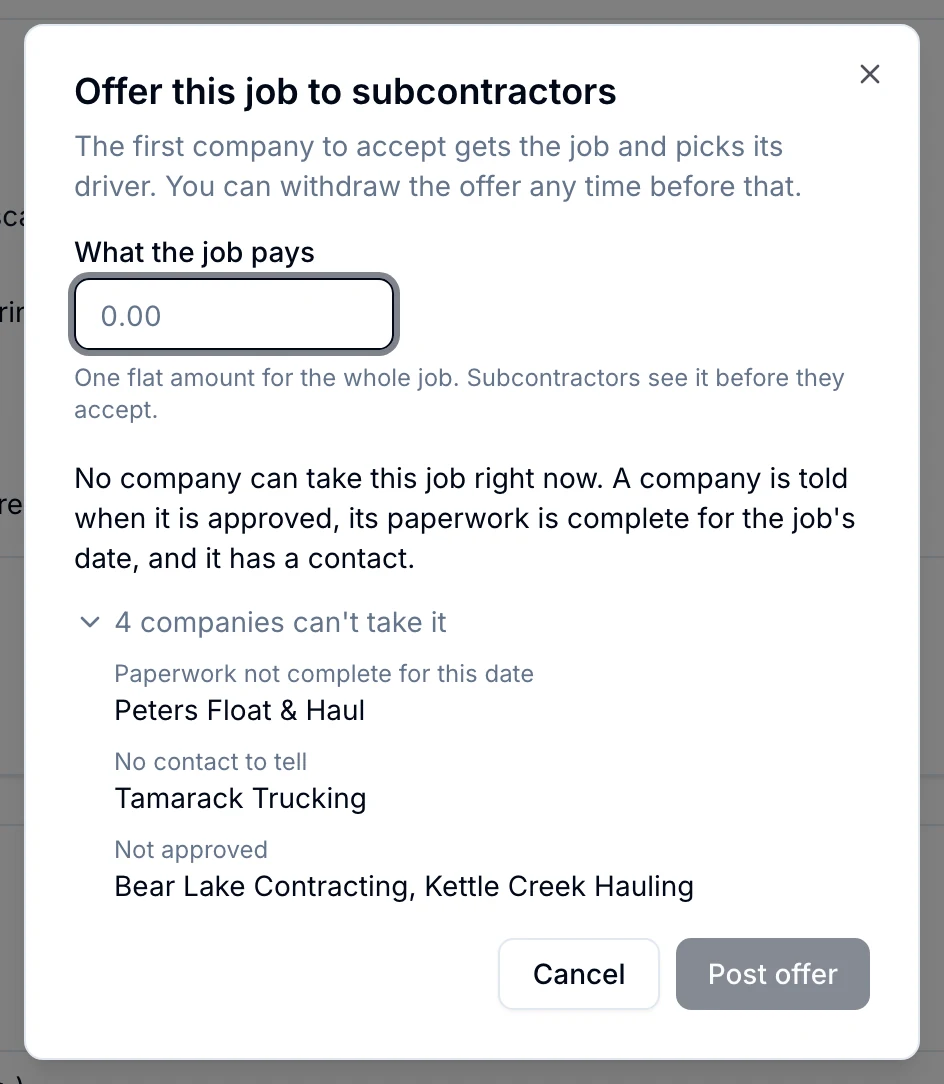
A company is told about an offer when it’s approved, its paperwork is complete for the job’s date, and it has a company contact. The offer dialog lists who will hear about it and groups the rest under a count of companies that can’t take it, with the reason for each.
Offer a job
You can offer a ticket once it’s submitted, has nobody assigned, and its start time hasn’t passed.
- Open the ticket. At the bottom of the operator card, click Offer to subcontractors.
- Enter What the job pays. It’s one flat amount for the whole job, and subcontractors see it before they accept.
- Check the list of companies under Who hears about it.
- Click Post offer.
The ticket then shows who the job is on offer to and for how much. It stays on offer until a company accepts, you withdraw it, or the start time passes.
To take it back, click Withdraw offer. If you assign someone yourself instead, the offer disappears from the subcontractors’ phones right away.
Give preferred companies a head start
You can let your preferred companies see an offer before everyone else. Owners and admins set this.
- Go to Subcontractors and click Edit requirements.
- Under Head start for preferred subcontractors, choose 15 minutes, 30 minutes, 1 hour or 2 hours. The default is None. Tell everyone at once.
When you offer a job, preferred companies are told right away and the dialog shows when the others will be. The head start only applies when some, but not all, of the companies that can take the job are preferred. Once it ends, the others can see the offer, and their notification can take up to 15 minutes more to arrive.
When a company accepts
The company contact sees the job on their phone under Jobs on offer, with what it pays. They tap Accept, choose Who will do it (themselves or one of their drivers) and confirm with Accept job. See the My company page for what they see.
The first company to accept gets the job. Dispatch assigns the driver they chose, and the job goes into that driver’s list. The flat amount becomes what that driver is owed for the job. The person who posted the offer gets a notification, and the ticket shows which company took it and for how much.
On the subcontractor’s side, only the company contact sees the amount. A driver the contact puts on the job doesn’t see what it pays, unless the contact takes the job themselves.
If nobody accepts before the start time, the offer closes, your office gets a notification and the ticket says no subcontractor took it.