
Each person in your company needs their own sign-in. You invite them by email, and they set their own password from the link. Owners and admins can send invitations, along with anyone whose role has been given permission to manage users.
- In the side menu, open Team, then People.
- Click Invite user.
- Enter their Email and pick a Role.
- Click Send invitation.
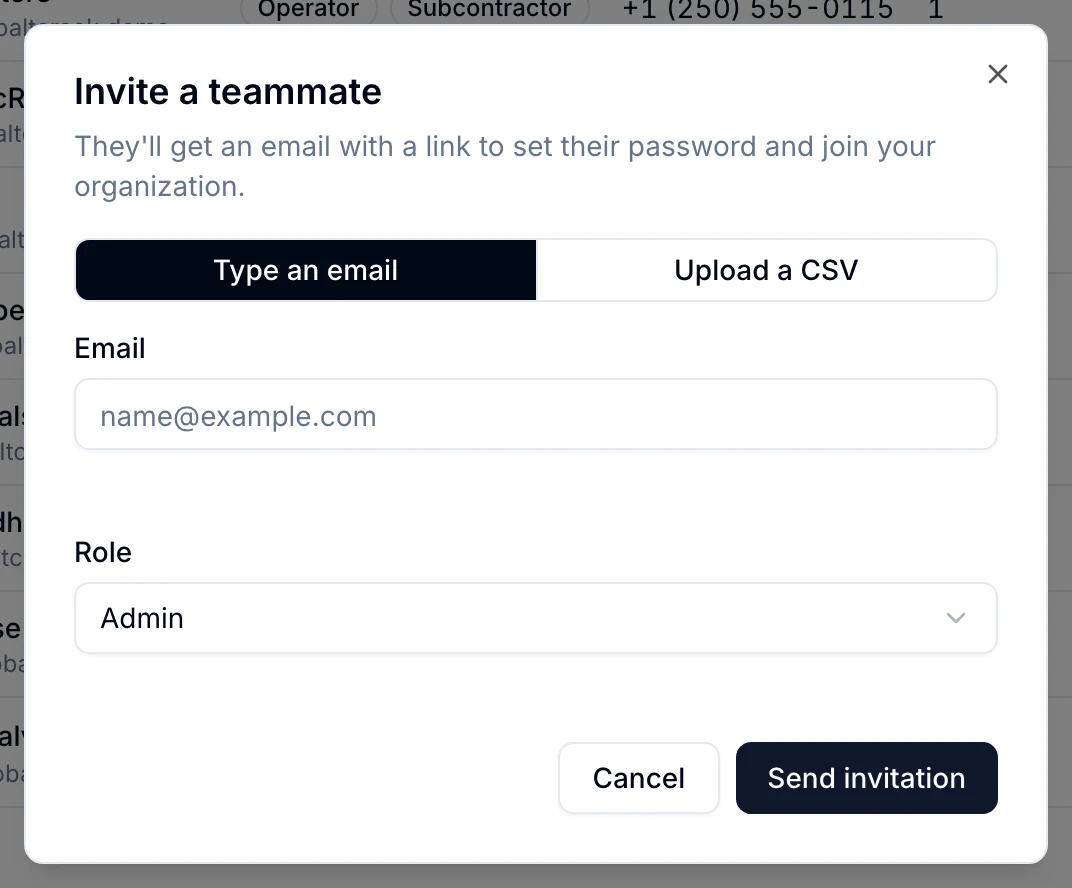
They’ll get an email with a link to set their password and join. Until they accept, they’re listed under Invited on the People page.
Pick the role that matches the work they do. Dispatchers book and assign jobs in the office app, and operators get the phone app with only the jobs assigned to them. Roles and permissions explains what each role can see, and invite people to your company covers resending and cancelling invitations.
Tip: Ask operators to sign in from their phone. Dispatch opens their job list straight away, and they can add it to their home screen like an app.