
Dispatch tells you when the office gives you work or changes something on one of your jobs. You can get these as texts, in the app, by email and as alerts on your phone.
Texts about new jobs
When the office assigns you a job, you get a text with your company’s name, the job number and a link. Tap the link to open the job in Dispatch. If you’re helping on someone else’s job, the text says who the main operator is.
Texts go to the phone number on your Account tab, so keep it up to date. To stop texts from your company, reply STOP to any of them.
The bell
The bell at the top of the screen shows how many notifications you haven’t read. Tap it to see them, and tap one to open that job. You’ll find notices there about your jobs, for example when you get a new one or when the office sends one back to you.
Turn on alerts for your phone
Alerts pop up on your phone even when Dispatch is closed. Dispatch may ask with Enable push notifications on your job list. Tap Enable, then allow notifications when your phone asks.
You can also turn them on later from the Account tab, under Notifications, with the Push notifications switch. On an iPhone, the switch only shows up after you’ve added Dispatch to your home screen.
Your Account tab
Tap Account at the bottom of the screen. From top to bottom, you’ll find:
- Profile photo, which your coworkers see on jobs and notes.
- Profile, with your name, Phone number and email. Tap Save changes after you change your phone number. Only the office can change your name, and your email is what you sign in with, so it can’t be changed here.
- Language, to use Dispatch in English or French.
- Notifications, with Email notifications and Push notifications switches.
- Install Dispatch app, to add it to your home screen.
- Sign out.
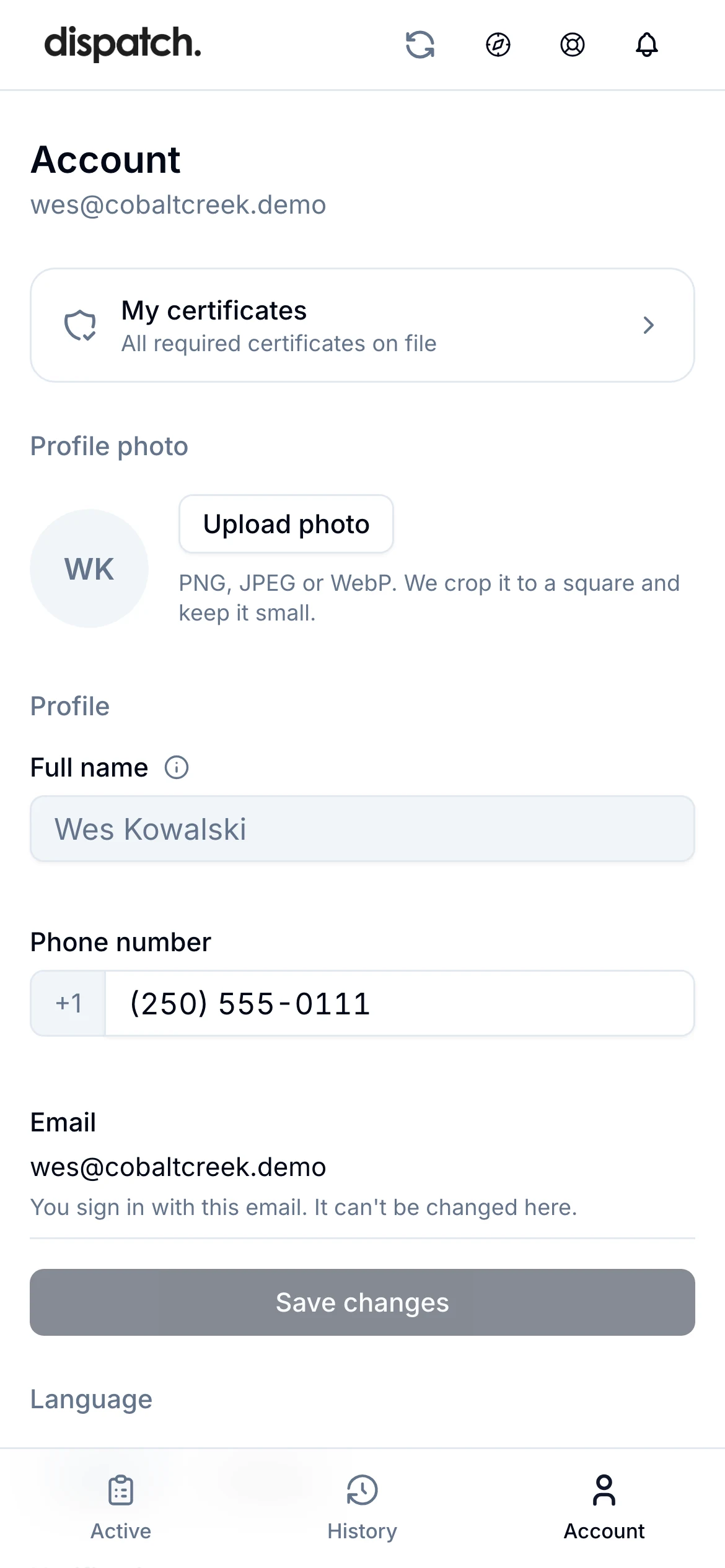
If your company uses the Health & Safety add-on, My certificates at the top shows any certificates you still need on file.
Switch to another company
If you work for more than one company in Dispatch, a second row under the Dispatch logo shows the company you’re working in now. Tap it and pick the other company. Dispatch reloads with that company’s jobs. Each company only sees the work you do for them.
If you run a subcontracting company
If you’re the contact for a subcontracting company, the Account tab also has My company. It shows the paperwork the company you work for needs from yours, and the drivers linked to your company. See the My company page for subcontractors for how it works.