
The audit log keeps a record of activity in your company: who did something, when, and to what. It’s useful when you need to know who changed a setting, or who invited someone.
Owners and admins can open it from Team > Audit Log.
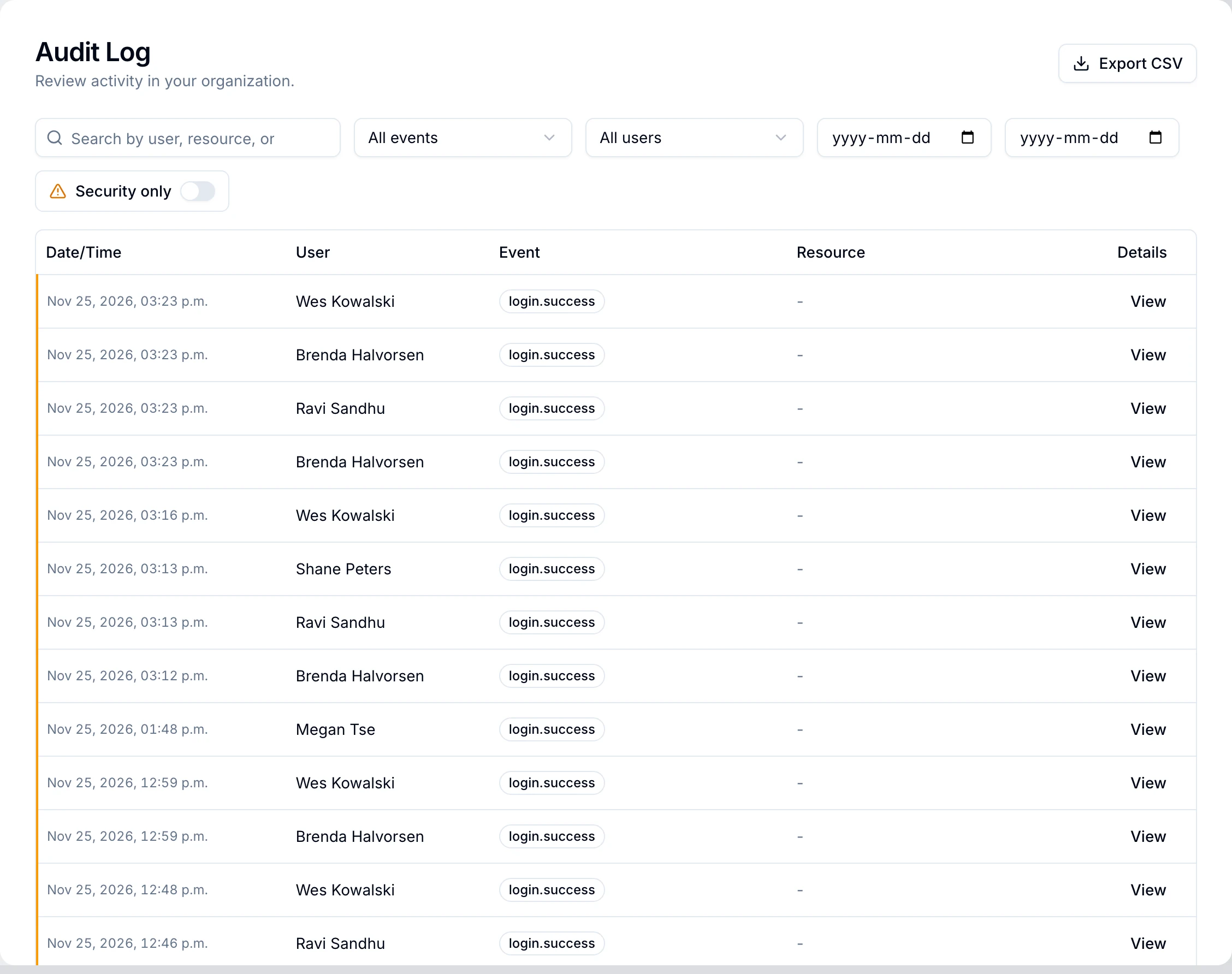
Find an event
Each row shows the Date/Time, the User who did it, the Event and the Resource it affected. Things Dispatch did on its own, with no person behind them, show System as the user.
To narrow the list:
- Type in the search box to search by user, resource or event.
- Pick an event type from All events, or a person from All users.
- Set a from and to date.
- Turn on Security only to hide everything except security events.
Click Clear filters to start over. The list shows 25 events per page.
See the details of an event
Click View on a row. The panel shows who did it and their role, the person it affected if there was one, the IP address and device, and any extra details recorded with the event. Sensitive values are marked Redacted for security.
Some actions are logged on purpose so you can check them later. For example, revealing a tax number in Settings is recorded here.
Export the log
Click Export CSV at the top of the page. The file follows the filters you’ve set, so filter first if you only want part of the log.