
Add-ons are extra features on your Dispatch account, like text messages, card payments, accounting, bookings or the client portal. Settings > Add-ons lists the ones your company has, with one status for each.
The owner can open this page, and so can anyone whose role has the Add-ons settings permission. Some setup inside an add-on stays with the owner. For example, only the owner can connect the account that takes card payments.
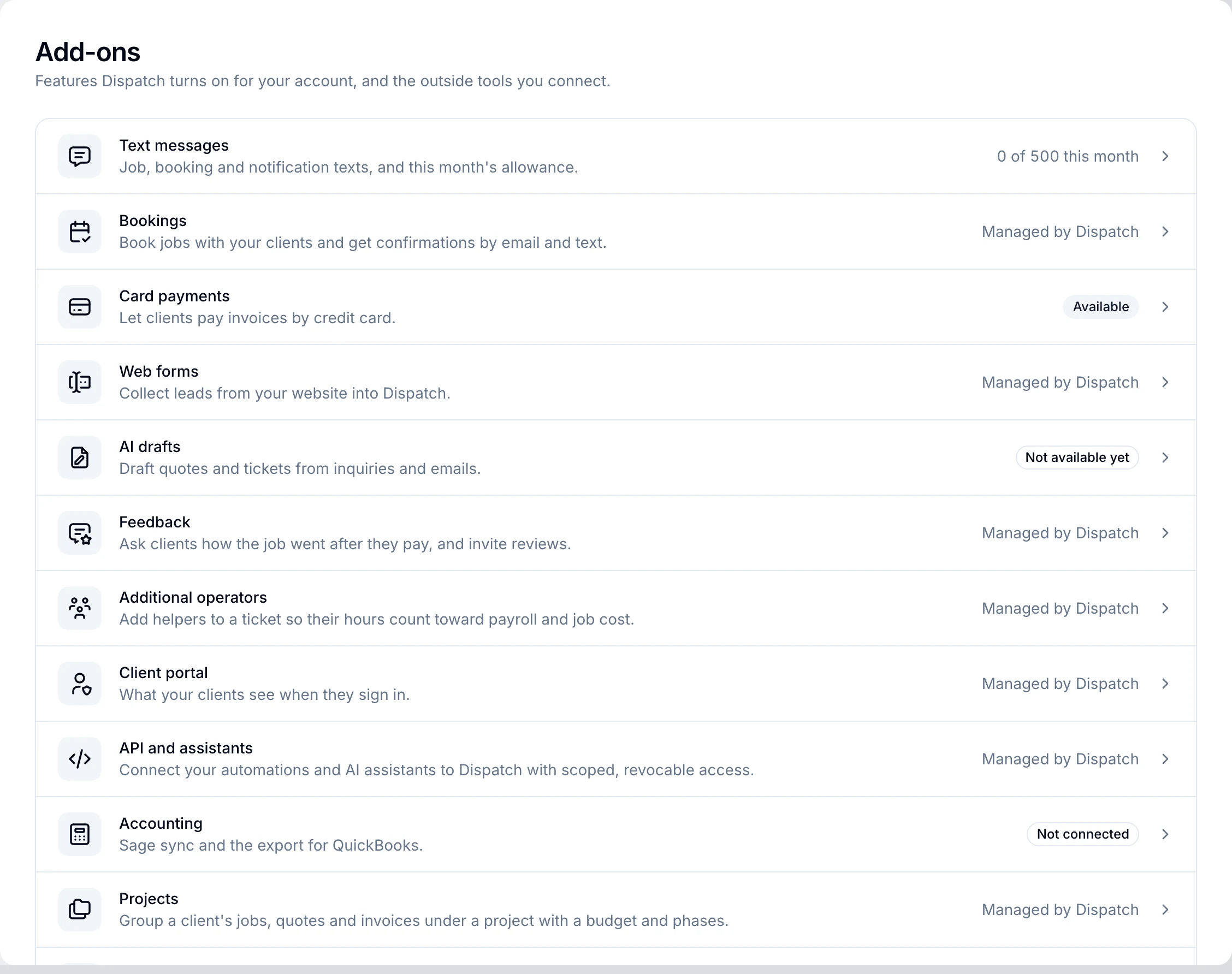
Read the list
Click any add-on to open its own settings page. The status on the right tells you whether it needs anything from you:
- Managed by Dispatch: Dispatch runs it for you, and there’s nothing to set up.
- On: it’s turned on and working.
- Available: you have it, but it needs setting up before you can use it.
- Connected or Not connected: for add-ons that link to an outside account, whether that link is in place.
- Needs reconnect: the link to the outside account stopped working. Open it and connect again.
- Turned off: the add-on isn’t active on your plan right now. Anything it saved is kept.
The Text messages row shows how many texts you’ve used this month out of your allowance.
Card payments and accounting
Two rows are always worth knowing about:
- Card payments lets clients pay invoices by credit card. This is where the owner connects the payment account and sets a card limit.
- Accounting holds the Sage sync and the export for QuickBooks.
Pause or disconnect an outside tool
On an add-on that’s connected to an outside account, you can pause or disconnect it from its page.
Pause stops syncing for now and keeps the connection, so you can pick up where you left off with Re-enable.
Disconnect removes Dispatch’s access at the provider and deletes the saved login. You’d have to connect again from scratch, so use Pause if you only want a break.
Get a new add-on
Add-ons are turned on for your account by Dispatch. If you don’t have any yet, the page shows who to contact to ask for one. The add-ons you pay for and their prices are listed on Plan and usage.