
The Price approvals page is where owners and admins check price changes. It has two parts: price changes dispatchers asked for on tickets and quotes, and a log of changes to your catalog rates waiting for someone to sign off.
Only owners and admins see Price approvals. It’s in the menu under Money.
When a dispatcher’s price change needs approval
A dispatcher who changes a rate on a ticket or quote needs the Override rates permission. If your company also turns on Approve price changes in Settings > Jobs, those changes don’t apply straight away. The ticket or quote keeps the normal rate until an owner or admin approves the new one.
Approve or reject a change
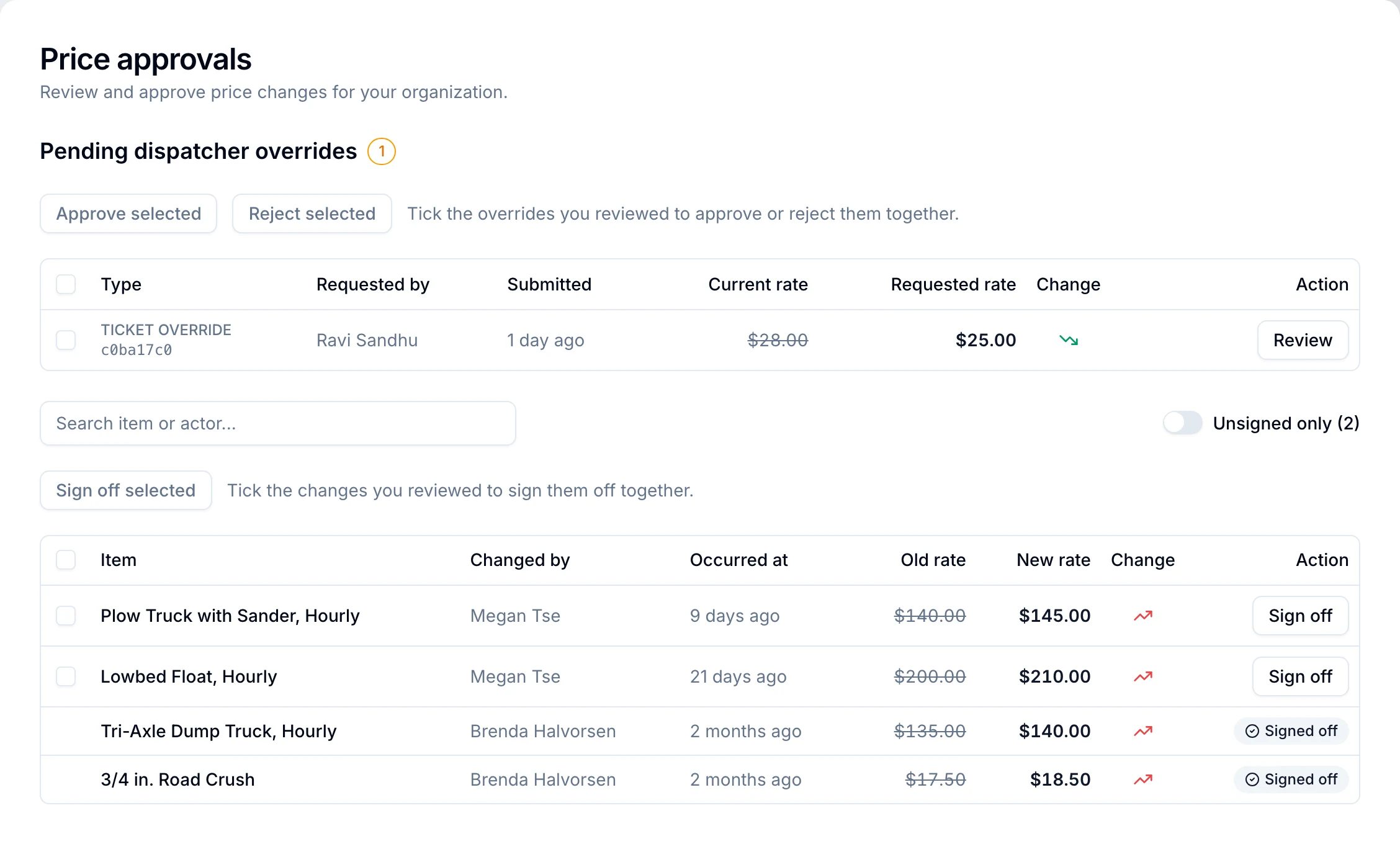
Waiting changes are listed under Pending dispatcher overrides, with who asked, the current rate, the requested rate and the difference.
- Click Review on a row.
- Add a Note (optional).
- Click Approve to apply the new rate, or Reject to keep the original.
When you approve, the rate and totals on the ticket or quote are updated. If the ticket has been invoiced or voided since, or the quote has moved on, the change can’t be applied and you can only reject it.
To handle several at once, tick them and click Approve selected or Reject selected.
Sign off on catalog rate changes
Every change to a catalog item’s rate is listed below the overrides, with the old rate, the new rate, who changed it and when. Signing off records in the audit log that someone reviewed it.
- Find the change. Turn on Unsigned only to hide the ones already done.
- Click Sign off.
- Add a note if you want, then confirm with Sign off.
To sign off several together, tick them and click Sign off selected.