
Settings > Getting paid controls what your invoices say about paying you and what Dispatch does when an invoice goes overdue.
Most of this page is for the owner. Someone whose role has the Money settings permission can change the reminder message and cash rounding. Card payments are set up separately under Add-ons, and the QuickBooks export is under Add-ons > Accounting.
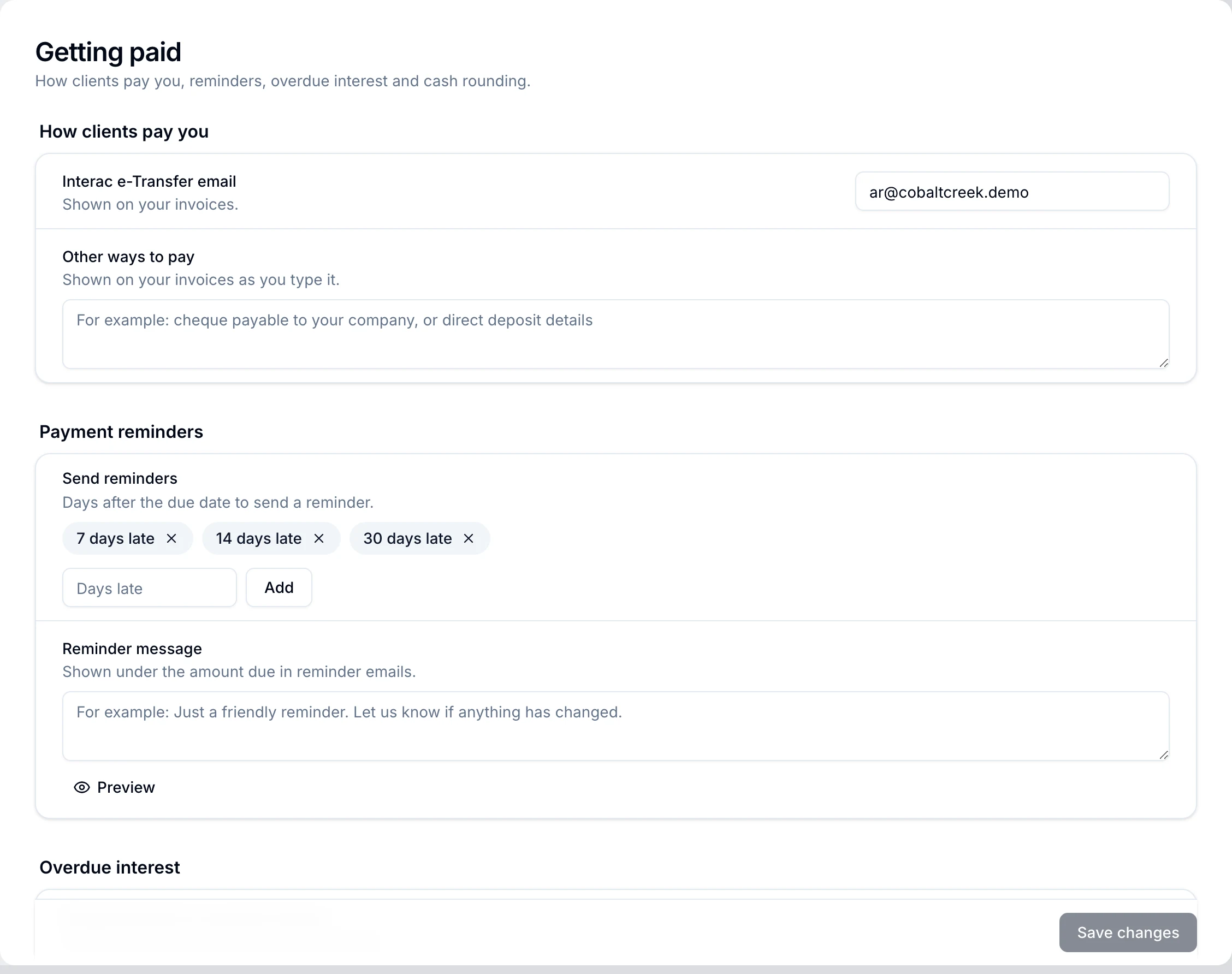
How clients pay you
- Go to Settings > Getting paid.
- Under How clients pay you, enter your Interac e-Transfer email.
- Under Other ways to pay, list anything else, like who to make a cheque out to or your direct deposit details.
- Click Save changes.
Both are printed on your invoices. Line breaks in Other ways to pay are kept, so you can put each option on its own line.
Payment reminders
Dispatch can email clients automatically when an invoice is overdue. You choose how many days after the due date each reminder goes out.
- Under Send reminders, type a number of days in the Days late box and click Add. Add as many as you want.
- To drop a reminder, click the remove button on its chip.
- Click Save changes.
If you remove every reminder, none are sent.
The Reminder message is your own note, shown under the amount due in each reminder email. Leave it empty to use the standard wording. Anyone who can open this page can change the message.
Overdue interest
- Turn on Charge interest on overdue invoices.
- Set the Monthly rate, for example 1.5 for 1.5% per month. It can be from 0 to 10.
- Under Starts after, set how many days late an invoice can be before interest starts. Use 0 to start right after the due date.
- Click Save changes.
Interest is worked out on the unpaid balance and tracked separately. It never changes an invoice’s total or its PDF.
Cash rounding
Canada has no pennies, so cash totals round to the nearest 5 cents. Turn on Round cash payments to 5¢ and a $159.08 balance paid in cash is recorded as $159.10, and the invoice is marked paid. Click Save changes after turning it on.